
Windows
These programs were made in the very early 2000s when I started programming on Windows.
My actual first programs were done on the C64 and even a Color Genie in the 1980s and 1990s. Most relics were unfortunately lost on the way like a Oops Up (Amiga) clone and a Tank Wars (MSDos) clone (both made on Windows with BlitzBasic).
Launcher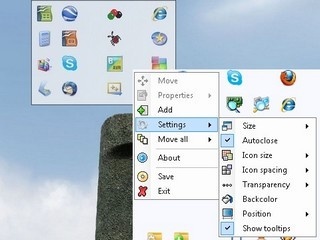 |
This is an application and file launcher that hides until the mouse is located at one of the sides of the screen. It then unfolds and displays the shortcuts. As soon as a shortcut is pressed or the mouse leaves the area it disappears again. I made this for maximum efficiency of starting applications. The options are available via a right click menu. Shortcuts can be added via drag and drop and the position is freely selectable. The size and transparency and more can be adjusted. The reason why I made it is because most tools don't work properly or are totally overloaded with functions. I don't know how I lived without it. |
Power Gem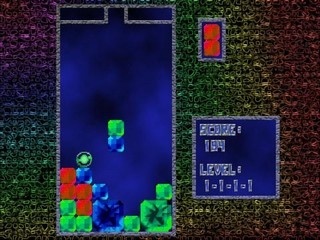 |
This is a really cool tetris-style game. You have to combine colored blocks to form power gems. Gems can be solved (removed) with solving spheres. The bigger the power gem, the more points it brings. The game is similar to "Puzzle Fighter" for the Play Station. |
Life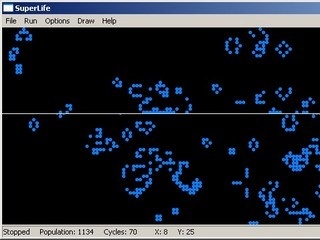 |
John Conway's extraordinary mathematical cellular automation algorithm. The program has a lot of interesting features and a lot of predefined forms that can be placed. |
Disk memory monitor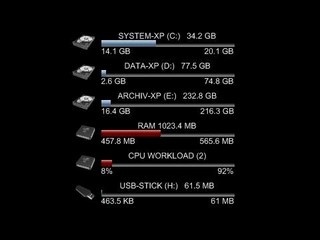 |
Keeping track of hard disk space is an important issue. This Widget is programmed in Java for the Yahoo Widget Engine. It shows the capacity of your local hard drives and also of USB-memory sticks on your desktop. The type of drive is indicated by an icon. Additionally the RAM and CPU usage can be displayed. Still a bit buggy. The Yahoo Widget Engine is no longer available from Yahoo. |
4-in-a-row AI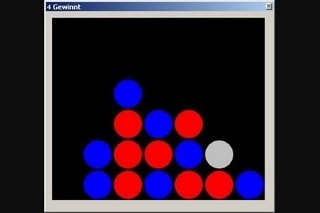 |
I always wanted to program my own 4-in-a-row algorithm (artificial intelligence). The program was not meant to look good but just to test the AI. I can now use it in other projects. The grey ball shows where you put the next stone. |